Raspberry Pi Weather Station
The Idea
With the growing pile of unused SBCs and various sensors on my workbench, I pondered about how I could put some of these to good use. And then it hit me:"Aha! I will make a Raspberry Pi based weather station! Surely no one has done that before!"
This idea has been quite literally beaten to death.
Anyways, using a BME280 sensor along with a Raspberry Pi Pico 2 W that I had lying around, I could take a pressure, temperature and humidity reading and send it off to a webserver, which would then make it accessible to anyone who wishes to view it!.
The Frame
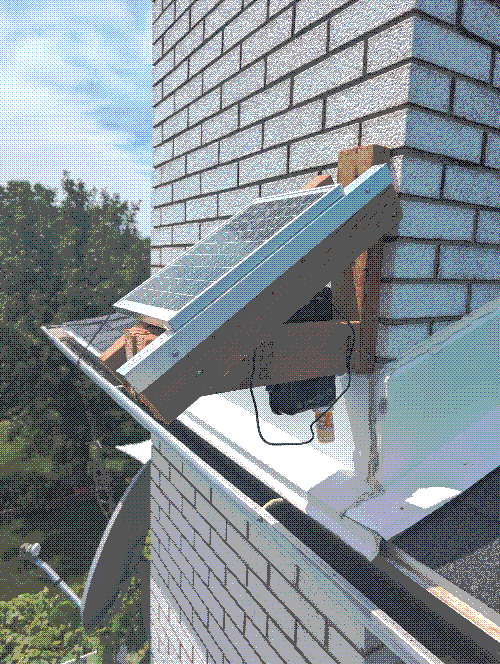
Following the theme of just use whatever crap I have lying around, I present to you, the worst mounting solution I have ever built.
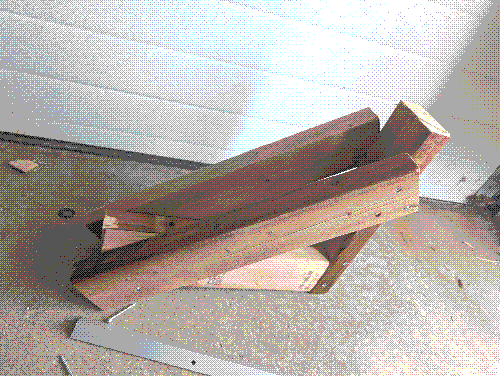
I know that this really isn't much, but this the definition of function over form. The solar panel gets mounted at approximately 40 degrees while all the electronics get tucked underneath within a weather proof box.
The Solar
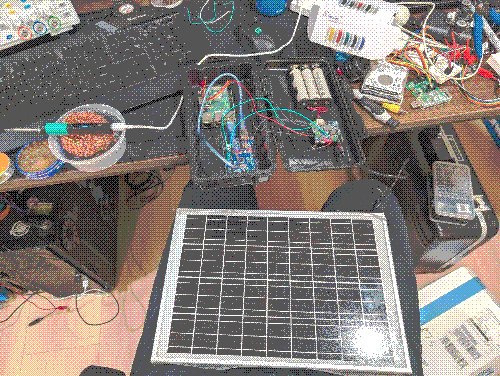
You can't have a solar powered project without a solar panel. Since I did not need the power of a 100 W or more solar panel, I chose a small 18 V, 10 W solar panel from Waveshare along with a compatible solar power manager module which supports MPPT charging, USB-C output and screw terminal output, battery charging and monitoring (over-charge, over-discharge, over-heat, over-current and short circuit protection) and comes with a 3-cell holder for 18650 cells. Even this very modest setup is probably overkill for the small power demands of the Pico but I'm sure it will pay off in the winter when we have little to no sun for days or weeks at a time (╥﹏╥ ). The cells themselves are Molicel P28A with a typical capacity of 2.8 Ah, so with 3 of them wired in parallel, 8.4 Ah at a nominal voltage of 3.6 V provides us with plenty of headspace should the sun decide not to shine for a while. Below you can see both the solar panel and power manager all wired together on my desk.
A Note On The Hardware
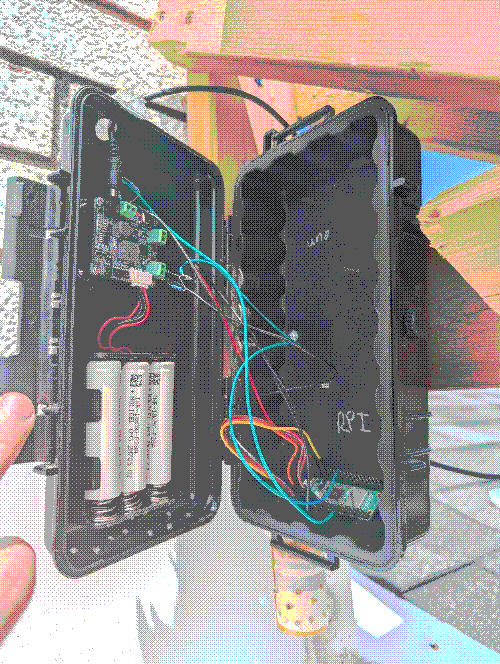
You may have noticed in the picture above that I've actually got what looks like a Raspberry Pi 3 B+ along with an Arduino Uno clone and not a Pico 2 W. The project was initially designed with the 3b+ and Uno combo in mind, with the Uno reading sensor data and voltages, packing it all up and sending it over serial to the 3b+, which would then send the data to my webserver. All went very well (almost too well...) and I actually had the weather station running like this for a few weeks. Unfortunately, one problem became very clear early on: the 3b+ was taking so much power that my little 3-cell pack could only keep it powered for just over 4 hours after sundown, which was no bueno for me. I wanted more.
I tried a few things to lower the power consumption of the 3b+ such as following along this article here by Jeff Geerling to reduce the number of active CPU cores and this post on the Raspberry Pi Stack Exchange to lower the clock speed of the CPU to its minimum stable clock speed of 600 MHz. Despite my efforts, none of these tweaks really helped that much and power consumption stayed relatively high. This is where I realised that I was simply using the wrong tool for the wrong job and decided to switch over to a Pico 2 W. It can talk to my BME280, it has a 12-bit ADC and it has onboard Wifi. A few changes to the code and wiring and I never looked back.
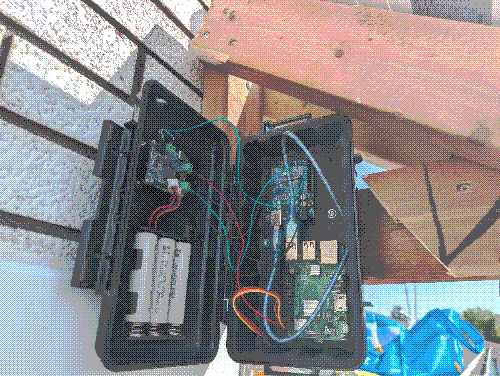
For your viewing pleasure, I have some pictures of what the weather station looked like before (3b+ and Uno) and after (Pico 2w) changes were made.
The Wiring
Thankfully (or unfortunately, depends what kind of person you are), there isn't too much wiring to do here. The BME280 sensor works over both I2C and SPI but I've got it wired over I2C here.
	───────────────────────────┐                    ┌────────────────────────────
	                    2-6 V  ┼────────────────────┼  3.3 V Pin 36
	                           │                    │
	                      SDA  ┼────────────────────┼  SDA   Pin 4
	                           │                    │
	  BME280                   │                    │                 RPI Pico 2 W
	                      SCL  ┼────────────────────┼  SCL   Pin 5
	                           │                    │
	                           │                    │
	                      GND  ┼────────────────────┼  GND   Pin 3
	───────────────────────────┘                    └────────────────────────────
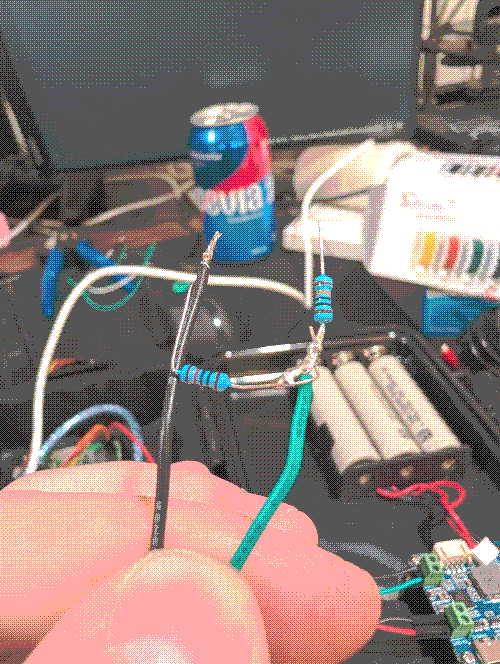
Since this weather station also monitors voltages from both the solar panel and the battery, we need something to lower the voltage that we are actually reading in order to not blow up our little Pico since it's GPIO pins are only 3.3V tolerant. The most simple way to accomplish this is to use voltage diviers. By wiring two resistors of specifc values in series, we can lower the source voltages low enough for the Pico to read them. Here is a picture of one of the voltage dividers that I wired up to read the solar panel's voltage.
The Code: Client Side
The Pico supports a few programming languages but I chose to go with Micro Python and the Thonny IDE since it's easy to work with and I could use Thonny's built-in package manager. In theory, all that this code should do is read data from the BME280 and send it off to the webserver. In practice however, 90% of this code is exception handling to prevent the Pico from locking up in case something goes wrong. After I got tired of climbing on my roof to manually reboot the Pico, I sprinkled quite a few try-catch blocks here and there and also learned to make good use of the Pico's Watchdog timer, the later being particulalrly usefull when the Wifi drops out and is unable to re-connect on its own.
If my spaghetti code is of any interest to you, you can go and check it out here on Github. The repo is currently very bare bones but it does include the main file that you would need to upload to your Pico if you wanted to reproduce this. I will be slowly adding more to it as time goes on (or not, I can be lazy too sometimes ¯\_(ツ)_/¯).
The Code: Server Side
Moving onto the server side of things, this code can essentially be broken down into 3 distinct blocks:
- we need to receive the data from the raspberry pi and save it somewhere
- we need to parse the data and verify that we have some actual weather data
- we need to update the website with the data that we received
In theory (and in practice, honestly), these are some pretty simple tasks to accomplish but since this is only my second PHP project, I would be lying if I said I didn't struggle a little. As a result, this code is straight slop and really not worth studying/replicating but as a compromise, I will provide a basic flow diagram of what this code does.
If you care to learn more about PHP, I cannot recommend the official PHP documentation enough. Normally when learning something new like this, I appreciate other 3rd party resources but in this case, their docs, manuals and examples were more than enough to give me a solid grasp of how everything worked.
The End
Thank you for reading one of my first blog posts! If you have any questions about any of this, or just want to shoot the shit, head over to my contact page to reach out.